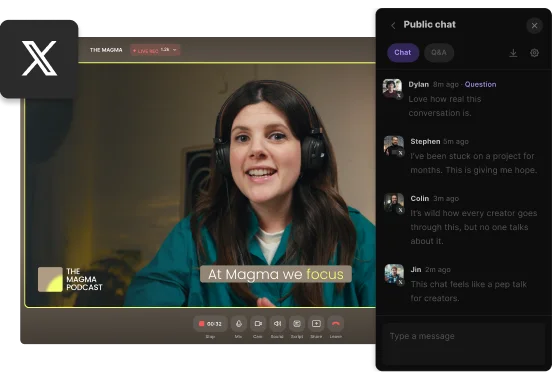
Maximize your reach with every multistream. Stream to multiple platforms in HD, edit, and then repurpose your recording into endless content, all in one platform.


-p-800.webp)


Create a new studio from the dashboard and invite your guests and audience.
Choose various streaming platforms and add their Stream URLs and keys.
Start multistreaming and invite callers, add soundboard effects, and screen share live.
Download your high-quality recordings to repurpose your multistream into more content.


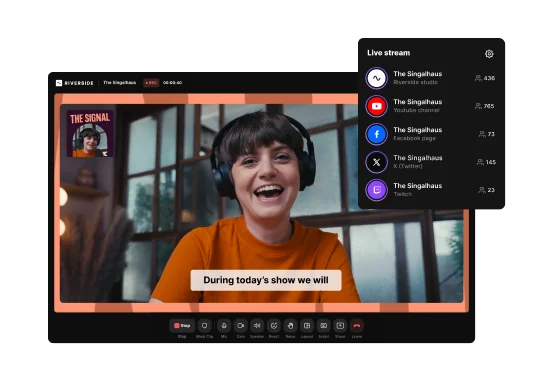
Simulcast on various streaming platforms with a few clicks. Easily share your live stream to Facebook, YouTube, Twitch, Twitter, LinkedIn, and more.
Don’t limit yourself to multistreaming on only a few platforms. Choose to stream live anywhere with custom RTMP.
Want to co-host a live stream? Multistream with up to 8 participants in one recording. You can even invite your audience to call in live.
Sound like a pro with a live soundboard. Add sound and video effects as you record or invite a producer to work behind the scenes.
Easily share your screen or upload a presentation to keep your audience captivated. Ideal for multistreaming a webinar, gaming, tutorial, or any virtual event.
Record your multistream and download separate 48kHz audio and 4K video files for easy repurposing. Create shareable, short video clips or make high-quality content.
Choose software that supports direct streaming to all your preferred social media platforms.
Ensure it offers RTMP connections so you can stream to non-integrated platforms as well.
Opt for software that delivers high-quality video to keep your streams professional.


Recording locally on your device ensures top-quality footage without choppy internet connection interfering with the quality of your recording.
Look for features like live chat, reactions, and Q&A to interact with viewers in real time.
Choose software with simple live editing and easy guest participation for seamless streaming.


Multistreaming or simulcasting means broadcasting your live stream to various platforms at the same time (like YouTube, Facebook, TikTok, Twitch, etc.). It’s a great way to grow your reach by boosting your online presence with different audiences, all at the same time.
To learn more, check out our full guide on livestreaming.
Yes, multistreaming is legal on every major platform like YouTube or Facebook. It is still legal even on those where it was explicitly prohibited like Twitch.
However, each platform has its own rules on what is permitted during a multistream. For example, some platforms enforce limits on:
Please note that policies can change over time. Always review your platform’s terms of service before multistreaming to make sure your setup complies with their current rules.
The maximum number of platforms you can stream to depends on the multistreaming tool you use.
Many multistream tools limit the number of destinations. With Riverside, instead, you can multistream to unlimited platforms at the same time, including:
This lets you go live everywhere your audience is without managing juggling multiple tools or setups.



.webp)

.webp)