

.webp)


Key takeaways:
- Castos is a podcast hosting platform best known for private podcast support and WordPress integration, making it great for education and membership-based content.
- Monetization includes private podcasts and host-read ads, but more advanced ad setups require additional tools.
- If you’re looking for Castos alternatives, choose Riverside for a start-to-end podcast platform, Buzzsprout for in-depth analytics, and Transistor for multiple shows with a team.
What is Castos?
Castos is a podcast hosting platform built for creators who prioritize simple publishing, WordPress integration, and private podcasts.
It works especially well for education and membership-based content, but video features and subscriber limits can become constraints as your audience grows.
In this review, I’ll break down where Castos excels, where it falls short, and who it’s best suited for.
Core Castos features
Let’s take a closer look at Castos’ capabilities so you can decide whether it fits your creative workflows.
One-click distribution
Castos offers one-click submission to major directories like Apple Podcasts, Spotify, Amazon Music, and more. Once your show is approved, publishing stays simple: you upload an episode in Castos, and the directories pull updates automatically through the RSS feed.
Podcast websites
Castos includes a hosted podcast website that displays your episodes, show description, and subscribe links. If you need a quick home for your show, this covers the basics without extra setup on your part.
Embeddable player
With the embeddable player, you can drop episodes directly into blog posts, product pages, or resource content. This lets visitors listen to your show without leaving the page they’re already on.
As a tip, place your player in content that matches your episode. For example, a feature walkthrough fits naturally on a product page. A longer discussion works better inside a related article.
WordPress integration
Castos integrates with WordPress through a plugin called Seriously Simple Podcasting. If your team already publishes in WordPress, this lets you manage episodes alongside your content.
When you upload your episode to Castos, the plugin automatically creates a podcast post in WordPress using that episode’s details. The post includes the audio player, title, description, and metadata. Meanwhile, Castos handles hosting, RSS delivery, and distribution behind the scenes.
I recommend testing this setup before committing, since plugin behavior and theme behavior can vary across WordPress environments.
Private and members-only podcasts
Castos supports private podcast feeds for teams, courses, and paid memberships. This makes it useful for internal updates, onboarding, and gated education.
You invite listeners by email or share individual feed links, and you can revoke access at any time. Access control is built into your existing podcast workflow, so you don’t need a separate platform.
Private feeds behave differently across listening apps. Before launching, test the experience in the apps your audience actually uses.
Treat private feed links like login credentials and avoid sharing them in public channels.
Video podcast support
Castos supports video podcast hosting and video embeds for episodes you want to keep inside your own ecosystem.
For broader reach, Castos can also republish audio episodes to YouTube by converting them into video files. This helps with discovery, but it’s different from hosting a full video podcast directly in Castos.
Because video files are larger, storage and bandwidth limits matter more. Many creators use YouTube for public discovery, then rely on Castos to manage access and delivery.
Castos also integrates with Riverside. You can record in up to 4K, edit quickly with AI tools, and publish your finished episode to Castos without rebuilding your workflow.
Podcast analytics
Castos pulls all your platform’s listener data into one dashboard. You can see analytics for:
- downloads,
- listening apps,
- listener location,
- and performance over time.
One standout metric is subscriber count per podcast. This shows how many listeners signed up to receive new automatic episode updates. It goes beyond raw download numbers to give you a better sense of your consistent audience.
To keep organized, you can also export analytics in a downloadable CSV or PDF report for deeper analysis.
Like most podcast hosting sites, Castos tracks downloads rather than full listen-through. That means you’re measuring reach and interest at the episode level, not how long someone stayed. When you look at download patterns across multiple releases, you can see which topics, release days, and promotion tactics consistently pull listeners in (and which ones don’t).
Monetization pathways
Castos lets you make money in 2 main ways: paid subscriptions and ads.
Paid podcasts use private feeds, and each plan has a subscriber limit. If you plan to charge listeners, check those limits early on.
For ads, you will need to record them yourself or use an external ad service. Castos can insert those ads into episodes, but more advanced targeting usually requires other tools.
Castos monetization features center on access control, feed delivery, and integration with external tools rather than built-in revenue optimization. What drives revenue is still your audience size, distribution, and how clearly you communicate the value of your show.
Castos pricing, limits, and what you’ll actually pay
Castos uses a relatively simple, tiered pricing model. You pay a flat monthly or annual fee.
Each plan sets limits on private subscribers, transcription credits, team access, video features. Core hosting is generous across all plans, but the differences matter once you start growing, monetizing, or working with a team.
Included on every plan
No matter which plan you choose, Castos includes:
- Unlimited podcasts, episodes, and downloads.
- RSS feed creation and management.
- Automatic distribution to major podcast platforms.
- A hosted podcast website.
- Free migration from another host.
- Access to Castos’s WordPress plugins.
When evaluating between Castos plans, keep in mind that:
- There are no bandwidth or download caps tied to audience size.
- If you outgrow your plan, Castos may upgrade you automatically.
- Private subscriber limits matter most.
- Once you pass 500 subscribers, each additional 500 costs $50 per month.
Essentials plan
Price: $19/month or $190/year.
This plan is built for solo creators and early-stage podcasts that want reliable hosting without extra complexity.
You get everything needed to publish and distribute a public podcast, plus basic analytics and a simple hosted site. It’s a good fit if you’re focused on growth and consistency rather than monetization or team collaboration.
Limits start to show up when you scale. Essentials includes 10 transcription credits per month, a single user account, and support for up to 100 private podcast subscribers. That’s enough for small internal feeds or early paid experiments, but it can feel restrictive for courses or memberships.
Growth plan
Price: $49/month or $490/year.
This plan is for creators expanding their audience, collaborating with others, or leaning more heavily into private content.
It builds on Essentials with advanced analytics and customizable reports, 25 transcription credits per month, and support for up to 250 private subscribers. Team access increases to 5 users, which makes it easier to share ownership across a small team.
Growth also adds video republishing to YouTube. If you record video elsewhere, Castos can automatically publish that content to YouTube as part of your workflow. A 1-on-1 onboarding call is included, which helps if you’re migrating or scaling up.
Pro plan
Price: $99/month or $990/year.
This is meant for established podcasts with larger teams or more serious private/paid offerings.
In addition to all Growth features, Pro supports direct video file hosting inside Castos (rather than just video republishing). Transcription credits increase to 100 per month, private subscriber limits rise to 500, and team access expands to 10 users. Priority support is also included.
If private podcasting is central to your business, this is where Castos becomes more viable long-term. You can also add more private subscribers in batches of 500 for an extra monthly fee.
Castos Premium
Price: Starts at $499/month or $4,990/year (custom pricing).
Castos Premium is an enterprise plan for organizations with more complex requirements.
It includes unlimited transcription, unlimited team members, higher platform limits, single sign-on (SSO), and a dedicated account manager. Pricing is customized based on usage and scale, making this best suited for enterprises or large internal communications programs.
How to publish a podcast with Castos
Here’s how to get started using Castos:
Step 1: Open and log into your own Castos account.
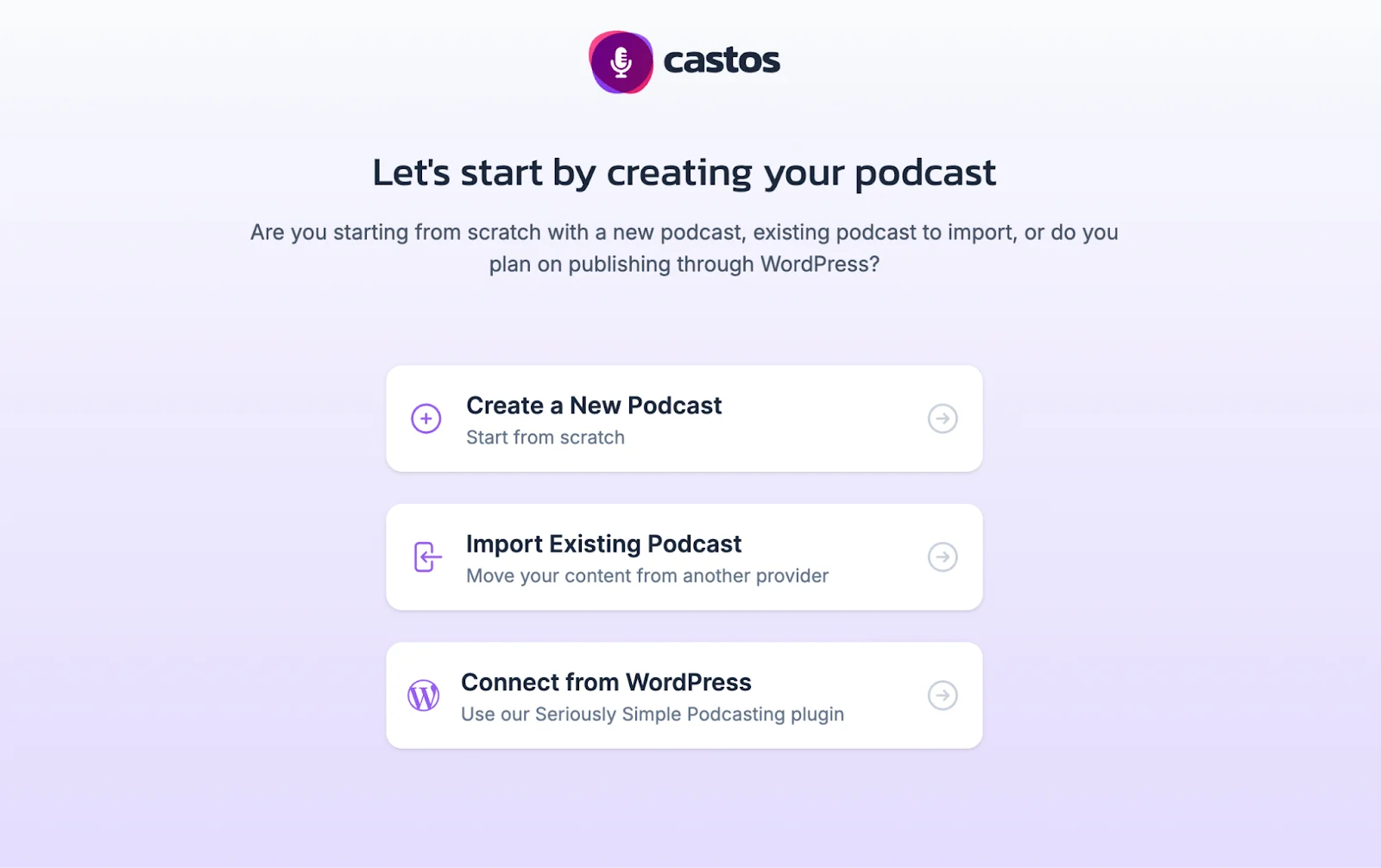
Step 2: Click “Create a New Podcast” to upload a brand new show.
Otherwise, you can import an existing podcast or connect a podcast from WordPress.
If you’re importing an existing podcast, you’ll need to submit your RSS feed URL or search for your show.
Step 3: Fill in your podcast details.
If you made your podcast on Riverside, this takes minutes. Generate optimized show notes, a title, and a description. And with Co-creator, your chat-based editor, you can even generate a podcast cover based on your episode recordings.
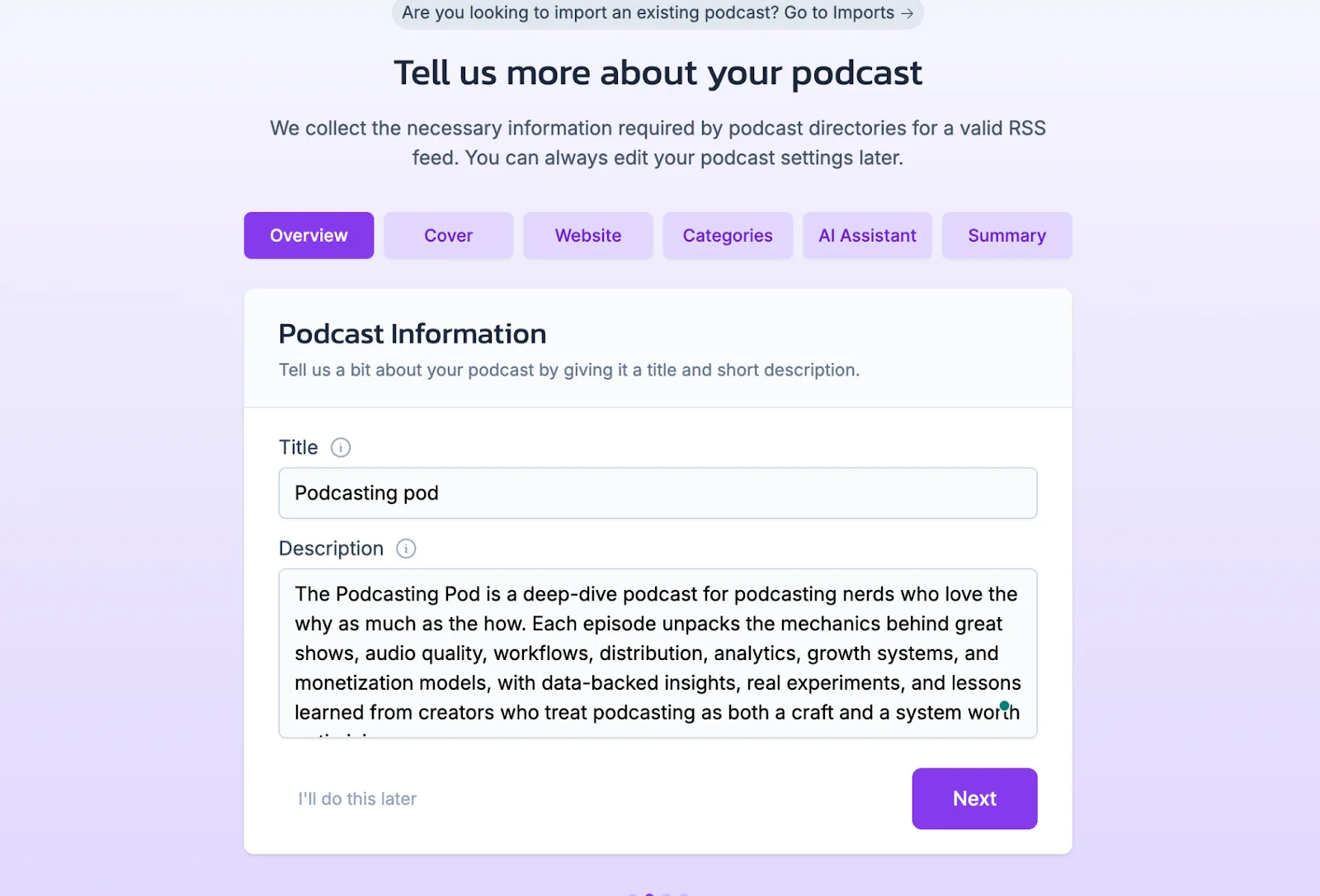
After adding your description, click “Next” to upload your podcast cover.
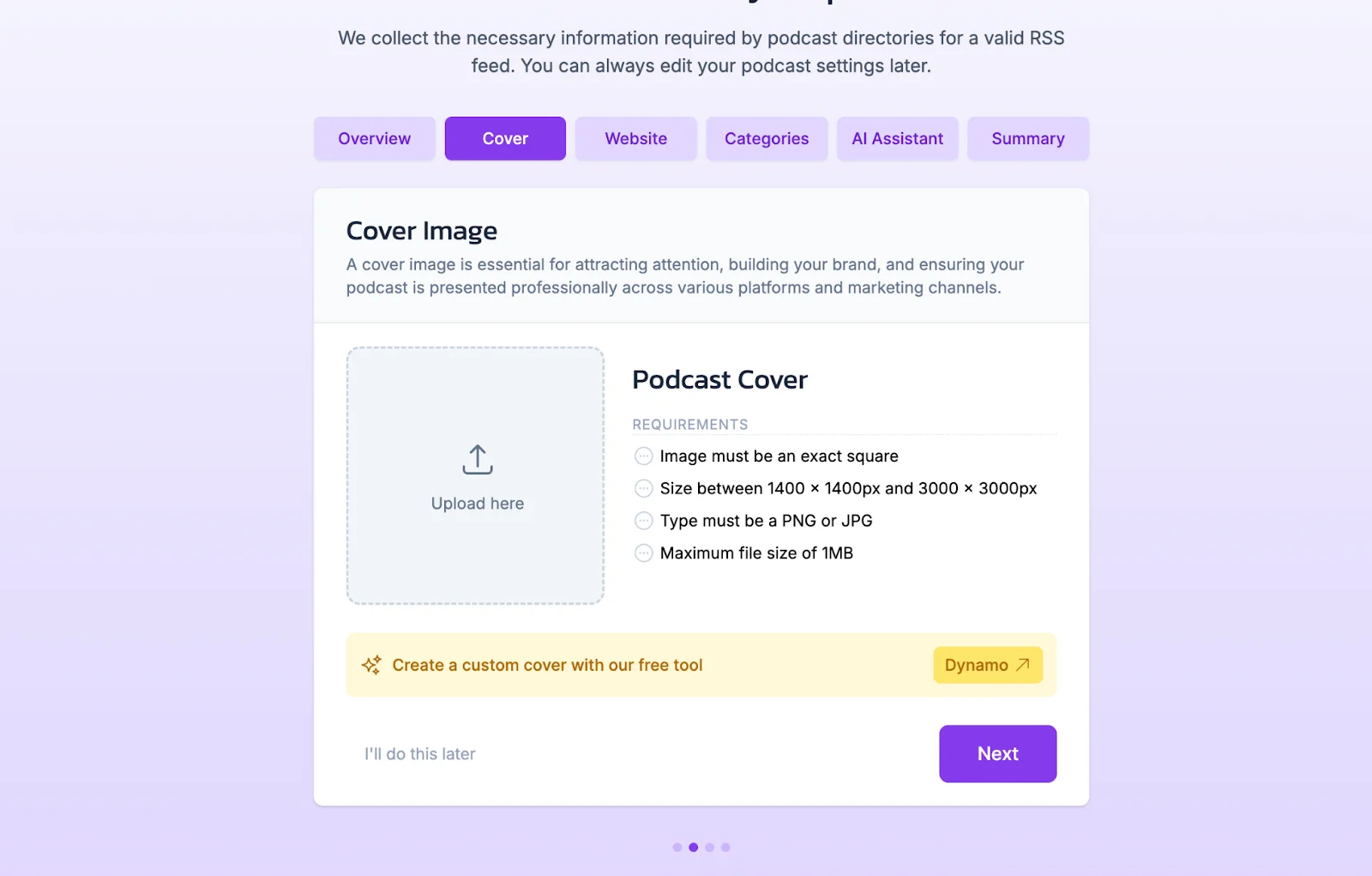
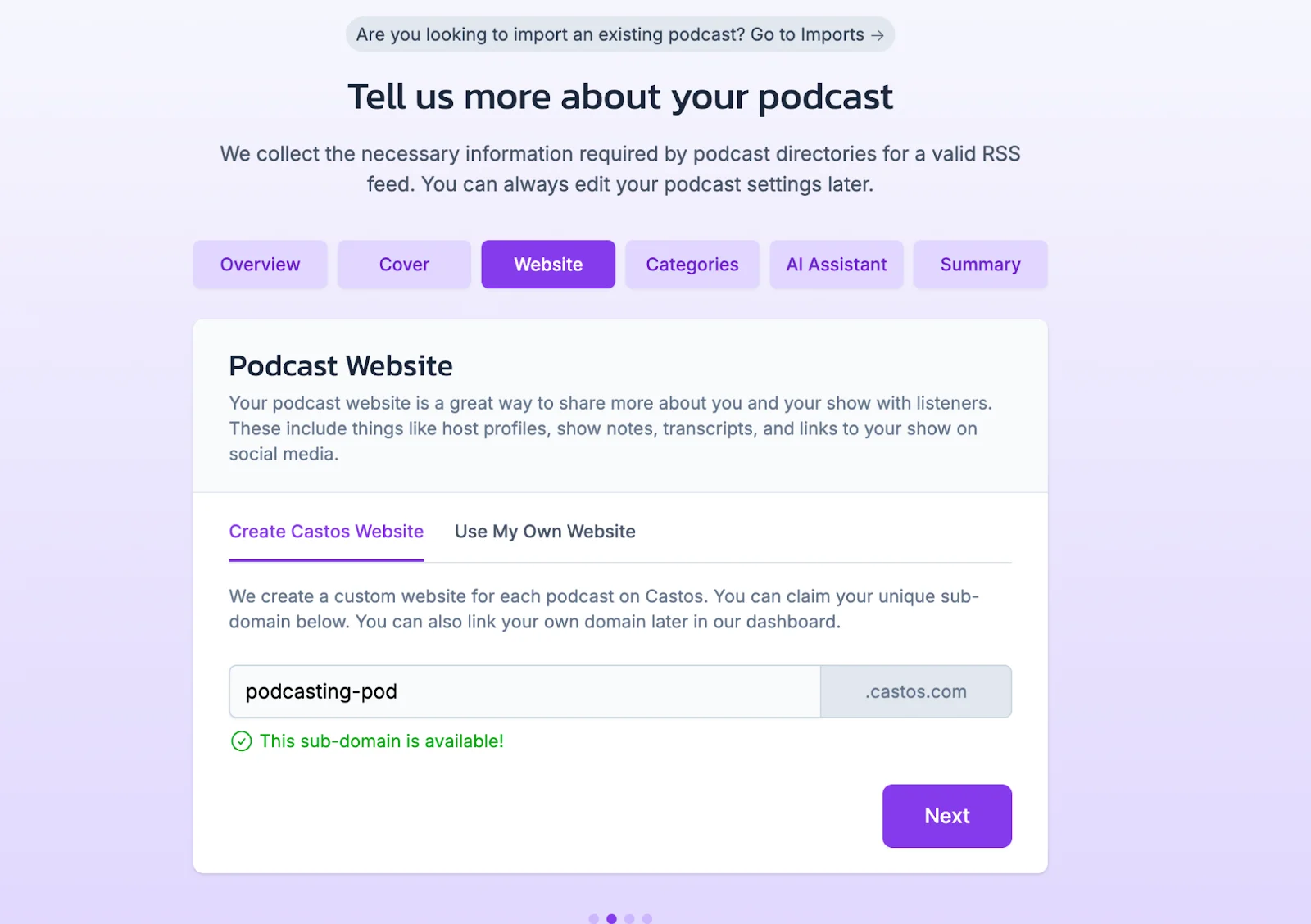
After this, you can add a website slug, categories, and decide whether you want Castos’ AI assistant to generate assets.
Confirm everything looks good in the summary, and then click “Create my podcast”.
Step 5: Click “Add first episode” to start uploading your first recording. You’ll also be able to share an episode title, description, transcript and even chapters. (All of which you can generate automatically on Riverside.)
If you’re using Riverside, you can export episodes directly to Castos. Record in up to 4K, edit in minutes with our AI editor, and then just click on the Castos button when exporting.
You can learn more about this here: How To Publish A Podcast To Castos
Once you’re set, click “Publish” to have your first show on the host.
Step 6: Connect your podcast to distribution platforms to share your show publicly.
You’ll need your RSS feed URL, and just paste it into the relevant place in the platform you want to distribute to.
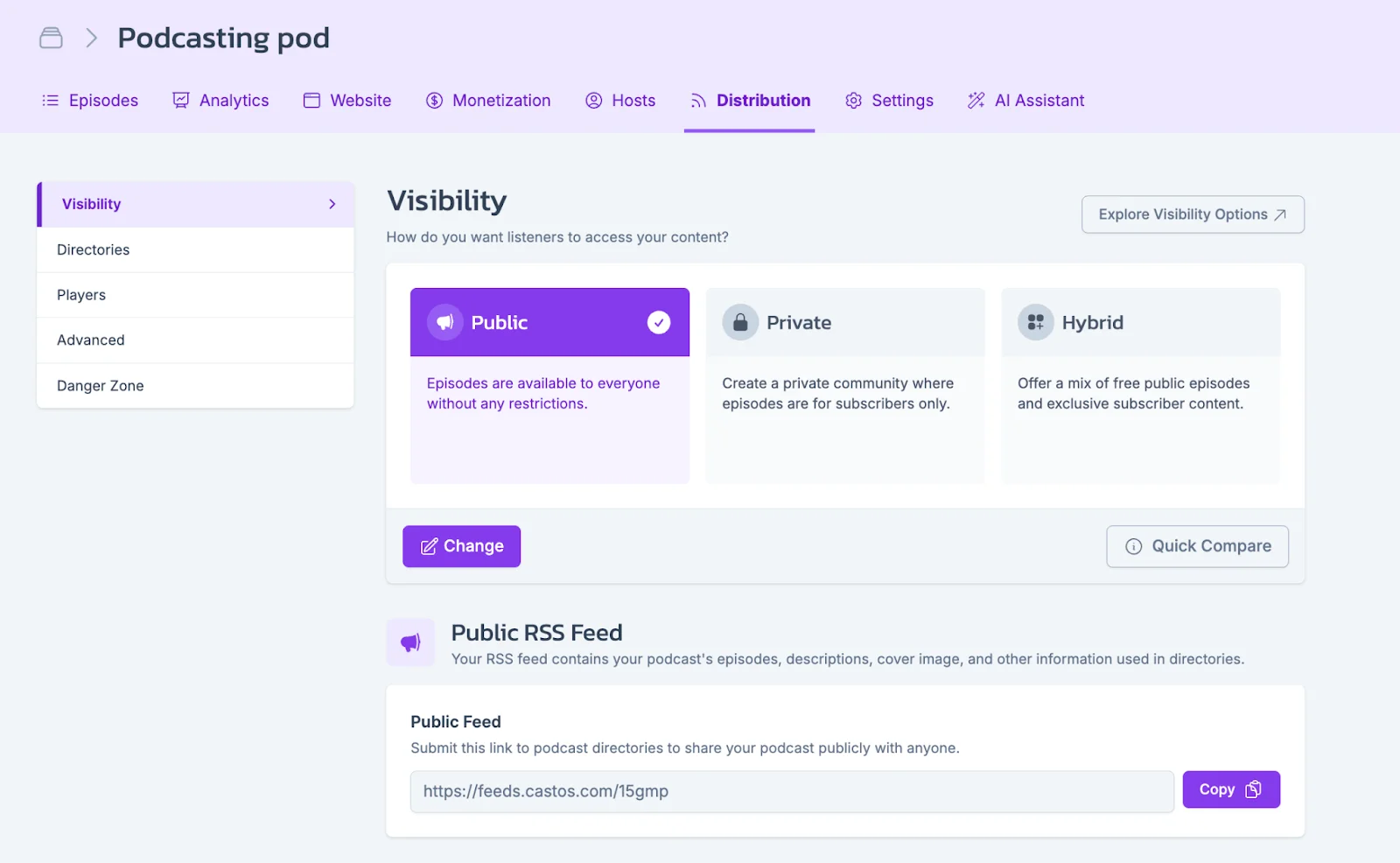
To find your RSS URL:
- Go to your Castos dashboard.
- Click on your podcast and go to the distribution tab.
- You’ll find a public RSS Feed URL here.
Who Castos is best for (and when to pick something else)
Think about how you plan to use your podcast, not just what features you want.
Castos is a strong choice if:
- You’re running a podcast as part of a content or education strategy, not a standalone media business.
- Your team already works in WordPress and wants podcasting to fit into existing workflows.
- You’re using audio or video to support courses, memberships, onboarding, or internal updates.
- You value predictable pricing and don’t want to manage hosting infrastructure as your audience grows.
Look for a different host if:
- Your primary revenue depends on advanced ad targeting, large ad networks, or complex sponsorship ops.
- You manage multiple shows with different owners, permissions, and reporting needs.
- You need enterprise-grade controls that go beyond standard private feed access.
Castos alternatives
If you do want to consider an alternative, we have a full list of podcast hosting platforms. Some top alternatives to look into are:
Castos vs. Riverside’s (hosting)
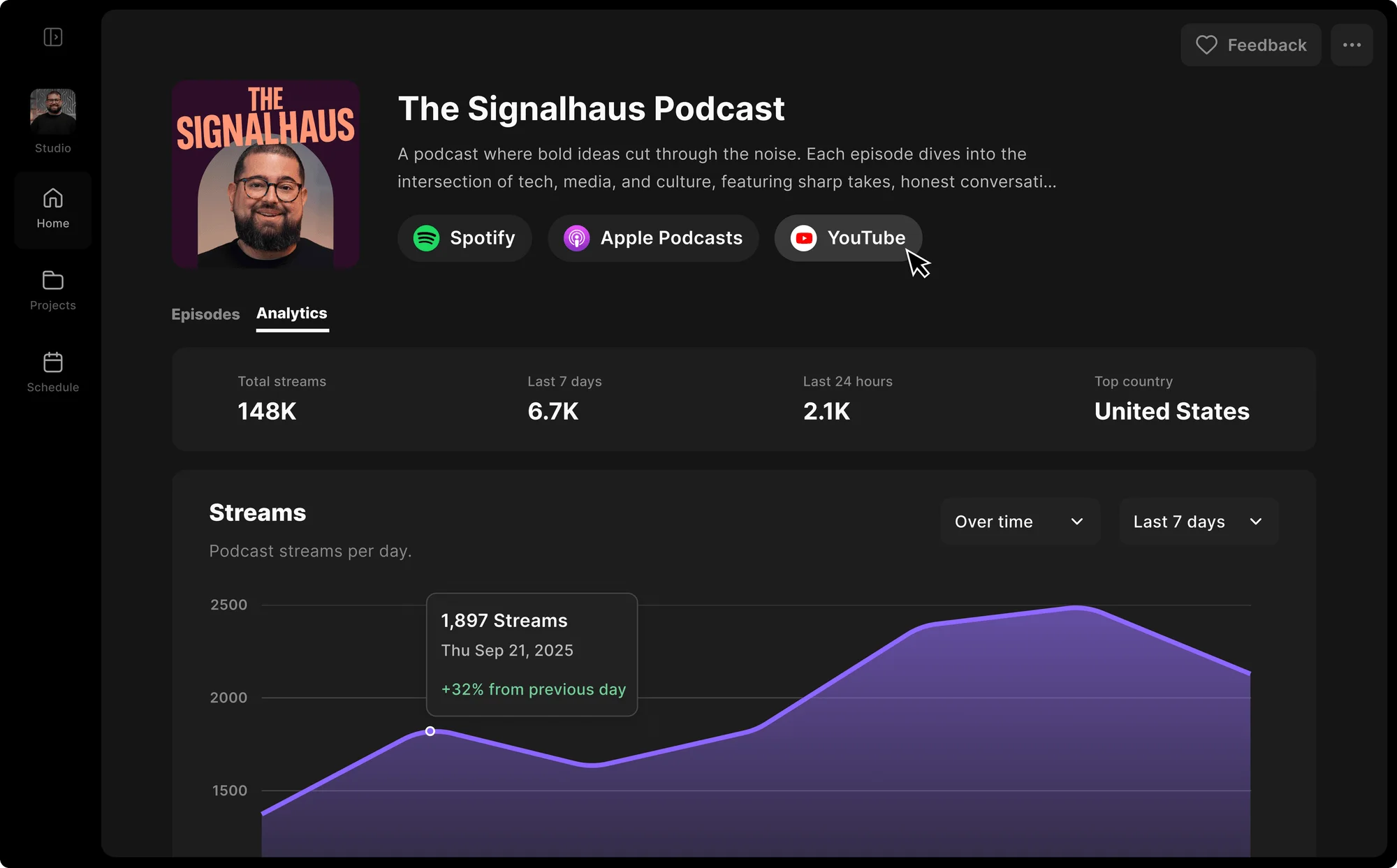
Castos is mainly a hosting and distribution platform. Riverside is built for the full production flow.
Riverside offers one-click publishing to Apple Podcasts, Spotify, and YouTube. You get unlimited storage, and if you’re on a Business plan, you can also have unlimited shows.
Unlike Castos, Riverside’s podcast hosting platform is fully video compatible across all plans. You can upload custom episode covers, which won’t even take extra effort to do.
Riverside has a chat-based editor that can edit and turn your podcast recording into assets. Prompt it to create covers, transcripts, show notes, and many other assets.
Not to mention that with Riverside, you get up to 4K local recording, separate tracks for up to 10 participants, and you can even stream your show. There’s a built-in podcast editor with automated tools to trim using your transcript, clean audio, cut filler words, fix eye contact, and more!
If you’re looking for a cost-effective all-in-one podcast platform, then Riverside is the option for you.
Castos vs. Buzzsprout

Buzzsprout is often the easiest place to start if you’re new to podcasting. The setup is simple, with an approachable interface that guides you through publishing.
It includes basic analytics and dynamic content insertion for promos or host-read ads, which you can apply across episodes without re-editing files.
The fallback is that Buzzsprout doesn’t support video at all. Its pricing is based on monthly upload hours, which can become restrictive as episodes get longer or publishing frequency increases.
Castos vs. Libsyn

Libsyn is one of the longest-running hosts and is known for reliability. It’s best for established podcasts that want built-in ad monetization and are comfortable with a more complex interface.
It has automated ads, which means you can monetize without recordings ads yourself. There’s also sponsorship integrations and dynamic ad insertions.
Like Buzzsprout, its plans are tied to monthly upload allowances, which can be fine if your episode length and cadence stay consistent.
Castos vs. Transistor

Transistor is designed for teams managing multiple podcasts. It offers strong collaboration features, clear show-level permissions, and tools designed for networks or organizations running several shows at once.
Castos also supports multiple shows but stands out more for WordPress integration and private podcast delivery. It’s often a better fit for creators who want tight control over publishing on their own site or need gated content for members or internal teams.
Both platforms support advertising, but the tools and level of control you get depend on the plan you’re on.
FAQs about Castos for podcasting
Do I need Castos if I already use a recording app?
In most cases, yes, because recording and hosting are generally in separate apps. While recording tools capture and sometimes allow you to edit your podcast, hosts just store files.
But Riverside bridges the gap and offers an all-in-one solution. You can record in up to 4K, edit in minutes with AI, and then host your podcast in a single platform.
Does Castos support video podcasts?
Yes, Castos supports video episodes on higher-tier plans. You can host video files and embed them in places you control, such as private podcast pages or member portals. For public discovery, most creators still publish video to YouTube and use Castos for hosting, access control, or private feeds.
Can I host multiple podcasts on Castos?
Yes. Castos lets you host multiple podcasts under one account, with unlimited shows and episodes.
You'll find this useful if you:
- Run multiple public podcasts.
- Publish limited series or bonus shows.
- Manage internal or private podcasts alongside a public podcast.
Plan limits still apply to things like private subscribers, team members, and transcription credits.
How do I migrate my podcast to Castos without losing subscribers?
Castos supports podcast migration using standard RSS practices.
The usual process looks like this:
Step 1: Import your existing RSS feed into Castos.
Step 2: Set up a 301 redirect from your old feed to the new Castos feed.
Step 3: Keep your old hosting account active for at least 4 weeks while podcast apps update.
Step 4: Check major listening apps to confirm new episodes are flowing correctly.
When done properly, your subscribers won’t need to resubscribe. The transition happens naturally behind the scenes.
Can I monetize a podcast on Castos?
Yes, but monetization depends on how you plan to earn.
Common options include:
- Private or member-only podcasts as a paid product.
- Host-read sponsorships.
- Third-party ad marketplaces or tools.
Castos supports this infrastructure, but more advanced ad targeting or dynamic ad insertion may require specific plans or integrations. Most creators start simple, focus on consistent publishing, and add monetization once the audience is large enough.
Does Castos support live podcasting?
No. Castos is built for hosting and distribution after an episode is recorded and doesn’t support live recording or streaming. If live podcasting is part of your workflow, you’ll need a separate tool.
That’s where an all-in-one platform like Riverside comes in. You can stream live, record high-quality audio and video, then edit and publish your episode from the same place. It’s a simpler setup if you want live sessions without breaking your production flow.



.webp)

.webp)


