

%20(1).webp)


Key takeaways:
- AI accelerates every stage of podcasting, from planning to editing, without lowering quality.
- For podcast recording, editing, and repurposing AI tools, try Riverside.
- To generate podcasts from text, try platforms like Wondercraft or NotebookLM.
- For scripting and planning, ChatGPT or a platform like Editpad is ideal.
- Platforms increasingly require disclosure for AI-generated audio, so be transparent when using AI.
With AI, gone are the days where every part of your podcast workflow takes hours.
In this guide, I’ll share some of the best AI podcasting tools for creation, editing, transcription, and promotion. You’ll learn what tools speed up your podcast workflow without sacrificing quality.
Best all-in-one podcasting tools
Some AI tools for one or two specific tasks, like creating clips or transcripts. Others streamline your entire podcasting workflow, end-to-end. This is what Riverside does:
Riverside
.webp)
Price: Free plan available. Paid plans start at $24/month.
Riverside is the ultimate AI-powered podcasting tool. Start by recording in 4K resolution. Then let AI speed up the rest of your workflow with:
- Chat-based editing: Riverside’s Co-creator lets you trim, edit, and create assets from your podcast recording just by chatting with your new AI agent.
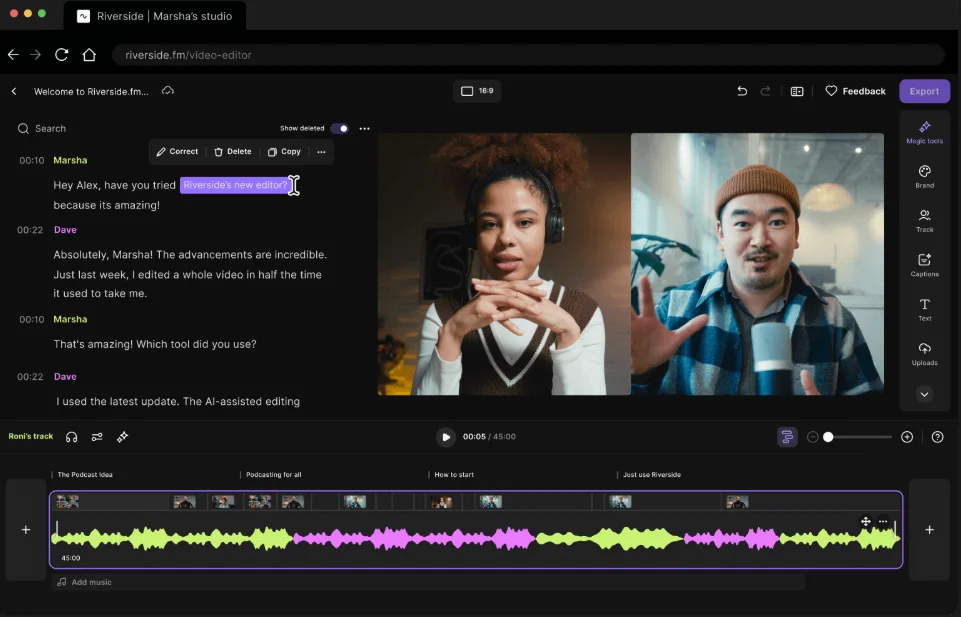
- Text-based editing: Want to edit more hands on? Use the AI transcriptions to edit your recording. Any text you adjust automatically syncs in your video timeline.
- Filler-word removal: Get rid of all the “uhms’ and”ahs” in a single click.
- Eye-gaze correction: Not looking at the camera? Use this AI feature to fix your gaze.
- Audio enhancement: Clean up background noise, balance audio levels and equalize your sound with one AI click.
- Clip generator: Let AI your podcast’s key moments into shareable social media videos.
- AI podcast assets: Get show notes, transcriptions and even podcast covers within minutes.
You’ll save time while keeping your podcast studio-quality. Not to mention that you can also host your podcast straight on Riverside for the full end-to-end experience.
AI tools for podcast creation
Not everyone looking to create a podcast wants to be a host. Maybe you’re camera-shy or don’t have the voice for audio. If that’s the case, you can try one of these tools for AI podcast creation.
Wondercraft
Price: Free trial. Paid plans start at $12.50/month.
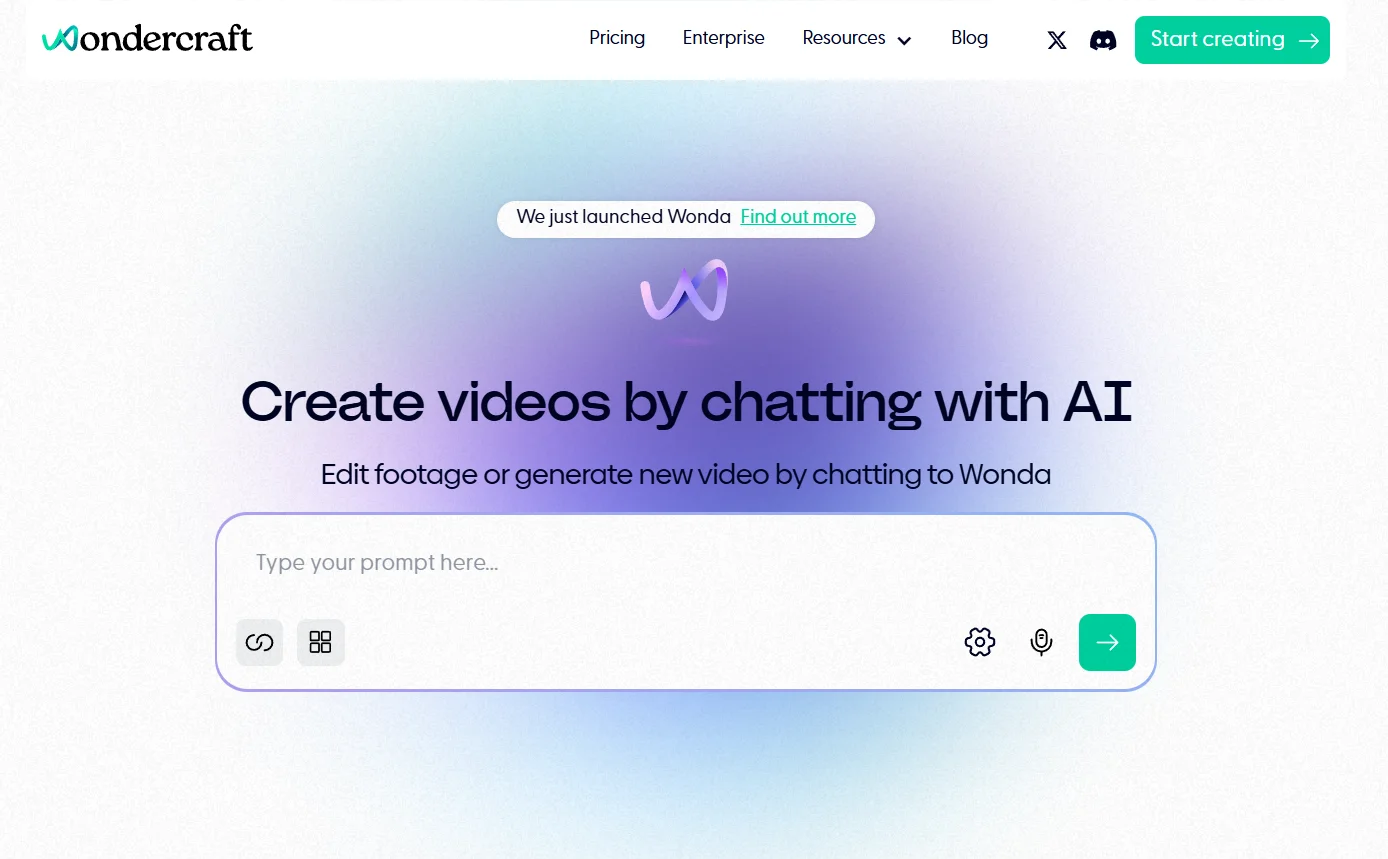
Wondercraft promises to help you create a podcast without recording. For the most part, it delivers. Of all the tools I tested, Wondercraft produced the best audio output. The voices sounded real, and the pacing was excellent.
I like that Wondercraft first produced a script based on my blog post, then asked for feedback before creating the audio. This gives more space for input into the final product.
Wondercraft’s platform includes a few editing tools, including the ability to add music, special effects, and audio clips to your timeline.
It isn’t perfect, and like any AI tool, it takes some creative liberties that might make you cringe. (In the sample I created, Wonder set it up as an interview with a fictional YouTube strategist - yikes!) Nevertheless, it definitely has potential for people who want to create audio content quickly and easily.
Monica AI
Price: Free plan available. Paid plans start at $25/month.
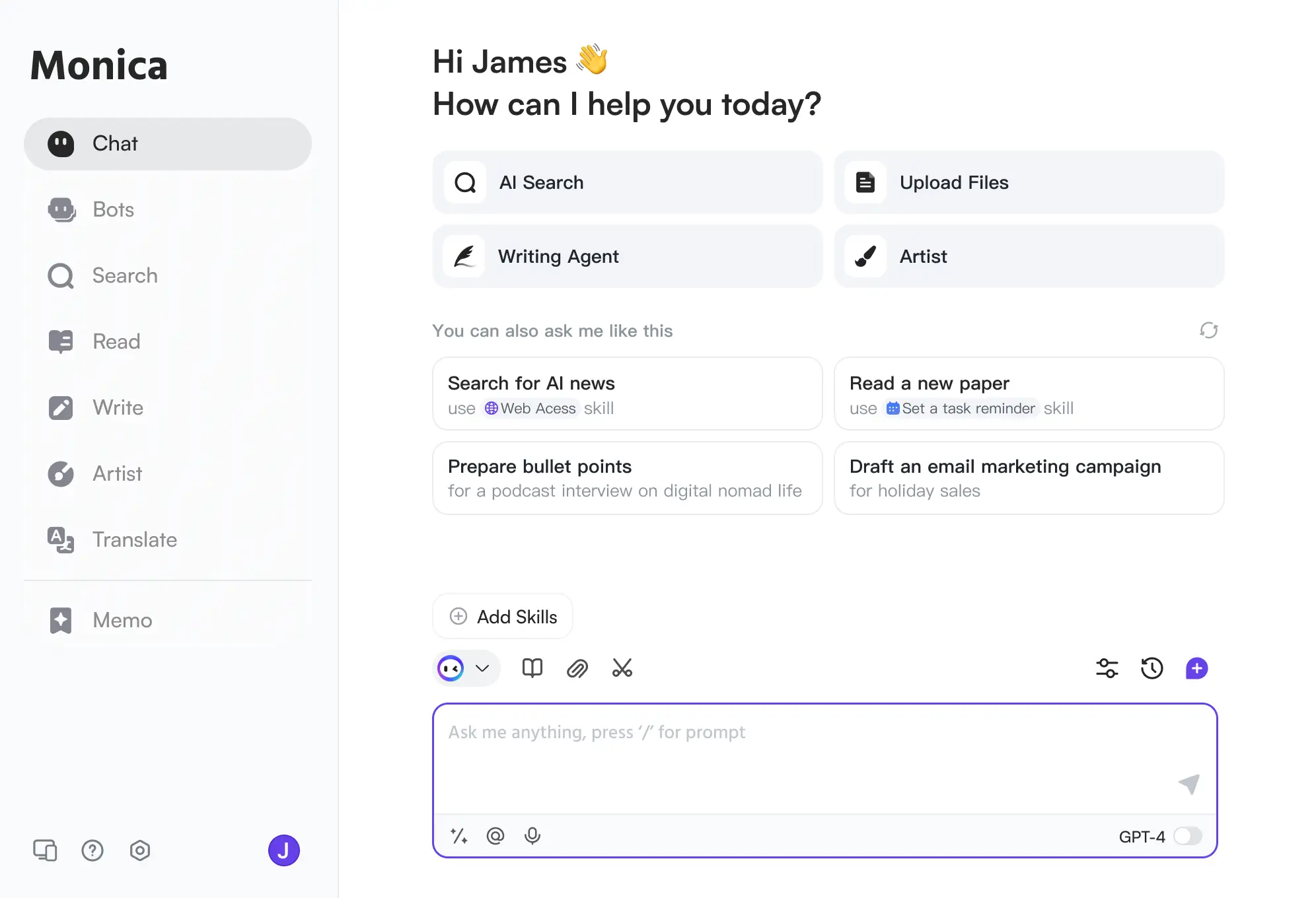
If you already have good content (blogs, courses, videos, etc.), Monica AI can turn them into podcasts in minutes. Just pop in a link or upload your draft, and Monica gets to work turning that content into a conversation. It literally couldn’t be easier.
I tested it out with a blog post, and the recording it created was cohesive, helpful, and did a good job of pulling out the key points. You can even translate your content into multiple languages.
The downside is that you lose all creative control. The voices were a bit robotic, the transitions were unnatural, and the music didn’t make sense, but there was nothing I could do about it.
NotebookLM
.webp)
Price: Free plan available. Paid plans fall under Google AI Pro and Google AI Ultra, and start at $56.66/month.
NotebookLM is a Google product that can help you repurpose all kinds of content, including turning written or video content into a podcast.
The AI voices and delivery here are more natural (the female host, in particular, sounds a lot like Terry Gross from NPR). And the conversation, while a bit rambling, feels very real. Because NotebookLM is free and easy to use, it’s worth a try for marketers looking to repurpose content. Like Monica AI, though, you won’t be able to edit the output.
Jellypod
.webp)
Price: Free plan available. Paid plans start at $23/month.
Where Monica and NotebookLM create audio content, Jellypod creates an entire podcast. It includes intro and outro music, RSS feed distribution, cover art, and even a free podcast website.
And with Jellypod, you get a little more control. Provide a prompt or upload the content you want to repurpose, and choose your AI voice (or clone your own).
Sure, the cover art looked very AI, but the overall product wasn’t bad. I was able to edit my AI script before audio was generated, and it took a strong angle, created interesting content, and put it all together in a package you can quickly share with others.
AI podcasting tools for writing scripts and questions
The best podcasts often start with a good plan, and even a full podcast script. But researching and structuring a plan can take longer than recording. Here are a few AI tools that can help.
Riverside
Price: Free plan available. Paid plans start at $24/month.
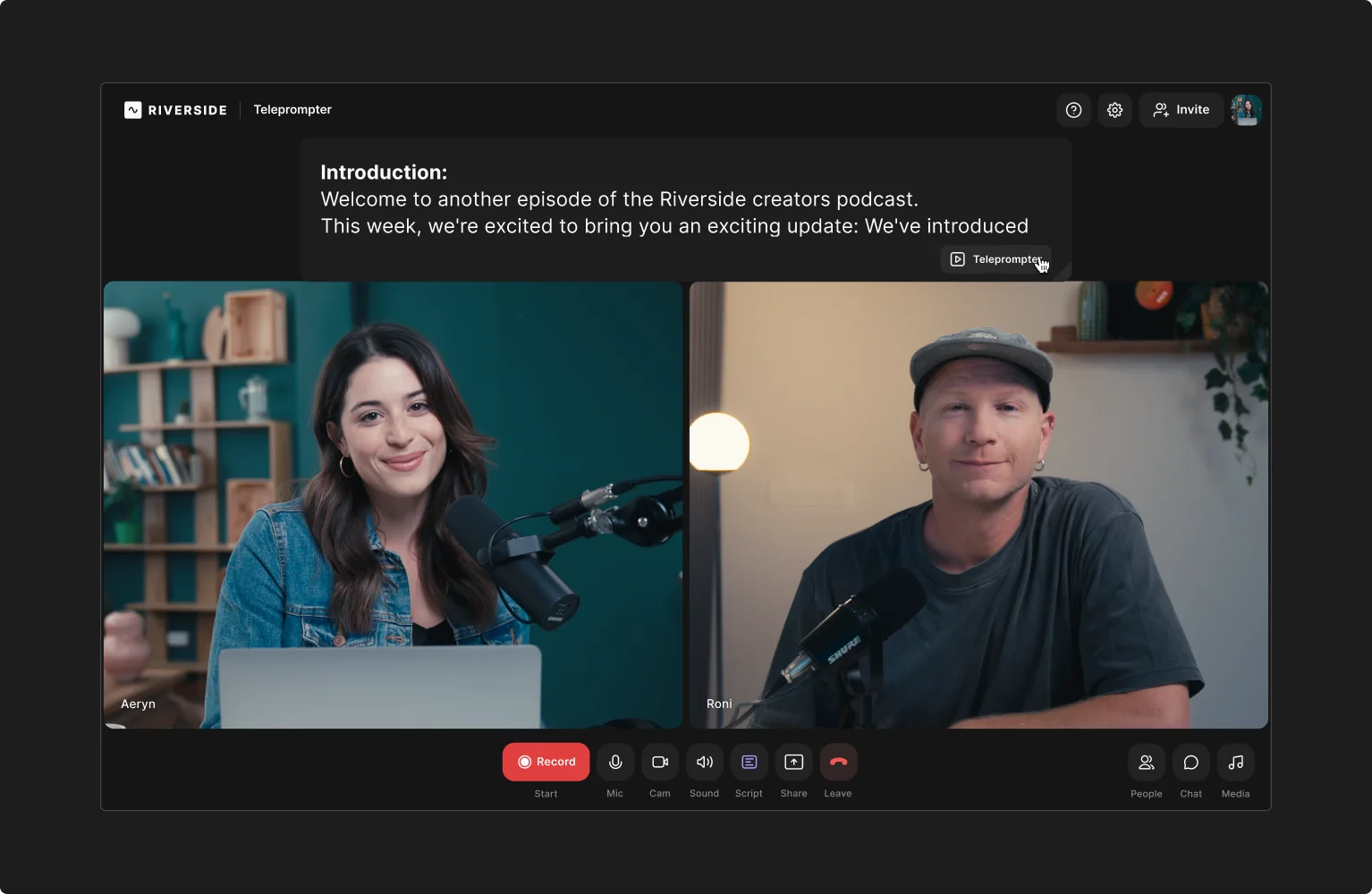
Riverside’s AI script generator is specifically for podcast scripts and it does a great job. The simple, conversational script it created for me would be a good starting point for my next show. And I love that it even suggested appropriate guests!
Once you’ve got your script in hand, load it into Riverside’s teleprompter so it’s right where you need it when you start recording.
ChatGPT

Price: Free plan available. Paid plans start at $20/month.
ChatGPT does a solid job of scripting a podcast, whether you start with existing content, or just an idea. What’s most helpful about this tool is that it’s prompt-based. If you don’t like what you get, provide some feedback, and ChatGPT will try again.
Overall, it does a good job of following instructions and providing a solid structure. If you have a certain presentation style, you can provide examples, and ChatGPT can work that in, too.
I also love that it helps me come up with questions. Just tell it who you’re interviewing and it’ll make lots of good suggestions you can choose from. Note that ChatGPT is infamous for making things up, though, so make sure you provide the data and sources you want it to use for your script and check any facts carefully.
Editpad
.webp)
Price: Free plan available. Paid plans start at $12.99/month.
Editpad’s podcast script generator looks very basic and is covered with (annoying) flashing ads. But it’s free, and it successfully created a decent script, whether I provided an idea or a blog post.
The script was well formatted and included a podcast title and segments. You can’t prompt Editpad for improvements, so you have to download the script and edit it yourself. But for a free tool, it provides a reasonable starting point.
AI podcast editing tools
Producing a podcast takes time: roughly 10 minutes of editing and post-production for every minute of recorded audio. In other words, a 30-minute episode can take around 5 hours to finalize. AI-powered podcast editing tools can dramatically speed up this process without sacrificing quality.
Here are a few worth trying.
Riverside
Price: Free plan available. Paid plans start at $24/month. Free AI video editing tools.
If creative control is important to you but you struggle to get your podcast out in time, Riverside’s AI tools give creators the best of both worlds.
You can either let AI do most of the heavy work using Co-Creator, you new editing agent. Ask Co-creator to clean up your audio, style your video and create full podcast episode.
If you prefer to edit more hands on, then there’s a range of AI editing tools to polish your podcast in minutes. For example, you can:
- Fix eye contact
- Remove filler words and silences
- Add animated captions
- Let AI tune your layout to who’s talking
- Add AI B-roll and images.
- Remove background noise and clean up audio
And more!
Adobe Podcast Studio
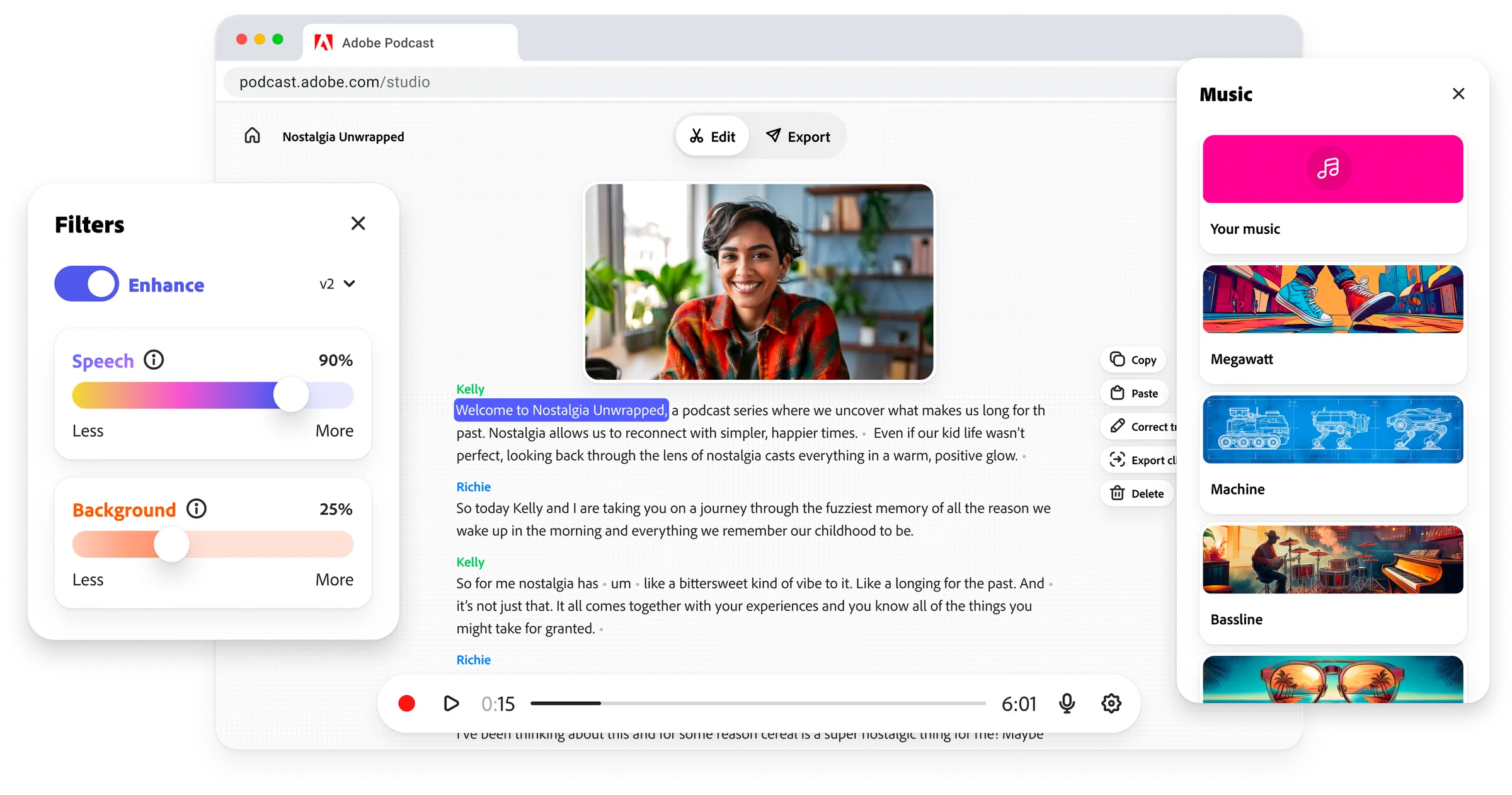
Price: Free plan available. Paid plan is $9.99/month.
This AI-powered podcast editing platform includes:
- Automatic transcription,
- text-based editing
- speech enhancement, and
- background noise removal
As a tool, it’s pretty basic and doesn’t provide a lot of room to grow. But, it does the trick for beginners. It even provides templates for podcast cover art.
Unlike Riverside, this option is audio-only, so it won’t work for those looking to create a video podcast.
Cleanvoice AI
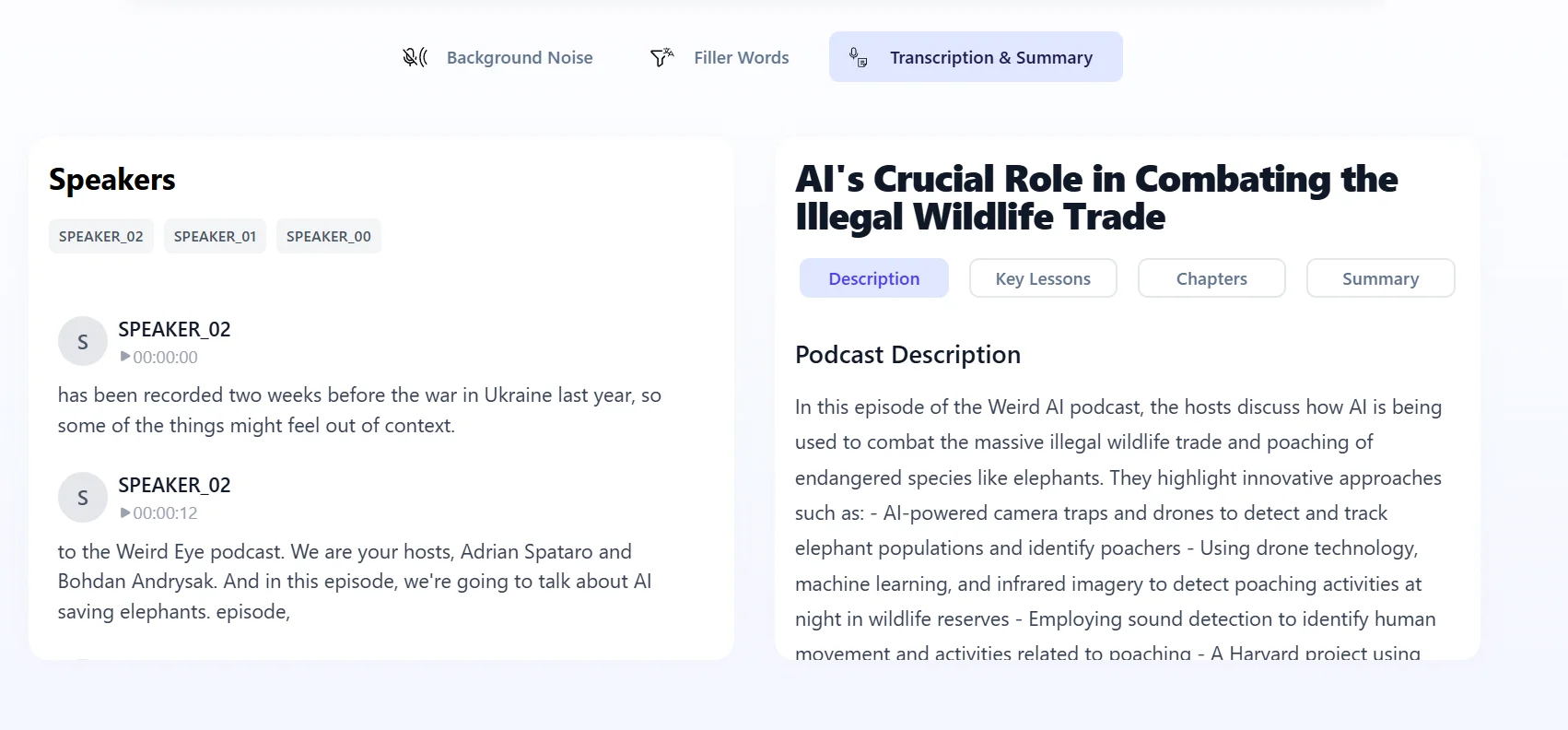
Price: Free trial. Paid plans start at $11/month.
Cleanvoice AI is marketed as a podcast editor for busy people. Just upload your audio, wait for it to process, and say goodbye to background noise, filler words, long silences, and mouth sounds.
Unlike Riverside, Cleanvoice is audio only, and you don’t get control over the final result.
But, for those looking for quick audio cleanup, it might do the trick.
AI tools for podcast transcripts and show notes
AI transcription tools generate accurate transcripts in a flash. You can use them to create other written content for your show, like summaries, titles, and show notes.
Here are a few tools to try.
Riverside
Price: Free plan available. Paid plans start at $24/month.
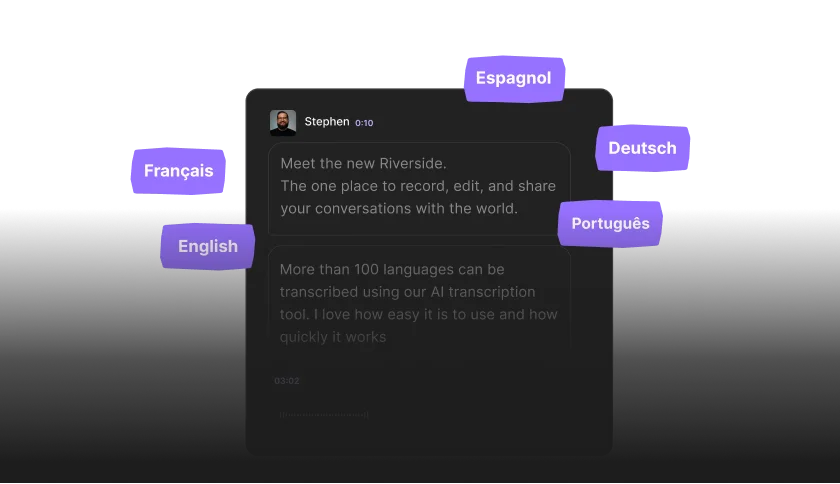
Riverside automatically transcribes any content you record or upload to the platform.
(If you’re looking for a free option, test our quick and easy transcription tool.)
You’ll get a transcript that is up to 99% accurate, and available in 100+ languages. You can even translate your video (with dubbing) to reach a larger global audience.
Not to mention that, you can skip the process of turning transcripts into show notes. Get show notes in a click, straight away, too.
Otter.ai

Price: Free plan available. Paid plans start at $8.33/month.
If all you need is a transcript, Otter.ai is a handy tool. Import pre-recorded audio or video files, and Otter will accurately transcribe them, complete with speaker identification.
I like that you can collaborate with others in Otter, allowing multiple people to edit and make notes on a transcript if needed. You can also search the transcript by keyword, speaker, or date, which makes it great for locating segments and quotes.
Trint

Price: Free trial. Paid plans start at $80/month.
Trint is a highly accurate transcription tool that transcribes both live and recorded audio and video.
It transcribes in 30+ languages and can translate content into 70+ languages. This makes it great for podcasters with a global audience.
It also has collaboration tools that are helpful for teams. Plus, you get an AI assistant that’ll help you sift through long transcripts, create summaries, and identify key quotes and insights.
Read more in our full list of the best AI transcription software
AI tools for podcast promotion
Creating clips, Reels, graphics, and posting them on blogs and social media can take hours every week. The solution? AI-powered tools for podcast promotion. Here are a few of my top picks.
Riverside
Price: Free plan available. Paid plans start at $24/month.
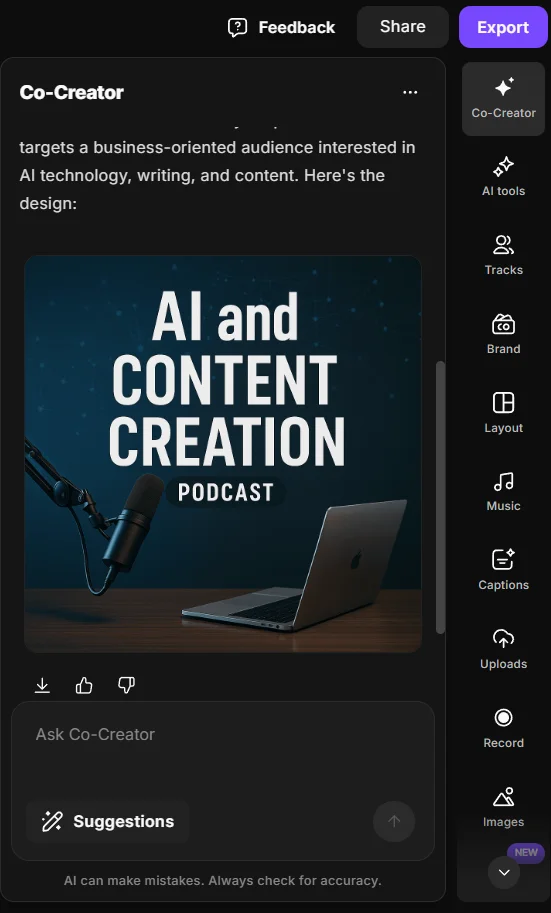
Go from recording to promotional assets in one end-to-end platform.
Turn your podcast recordings’ highlights into shareable videos with Riverisde’s Magic Clips
What I like most is that you have full control from the get go.
Choose your clips length, topic, key speaker and styling before our AI does it’s magic. And, if you want to adjust anything just open the clips in the editor.
But there’s more. With Co-creator you can turn your podcast into almost any asset. Ask it to create:
- Newsletters
- Emails
- Blog posts
- Thumbnails
- Promotional trailers
And more, just by chatting with it, your new AI editing partner.
OpusClip
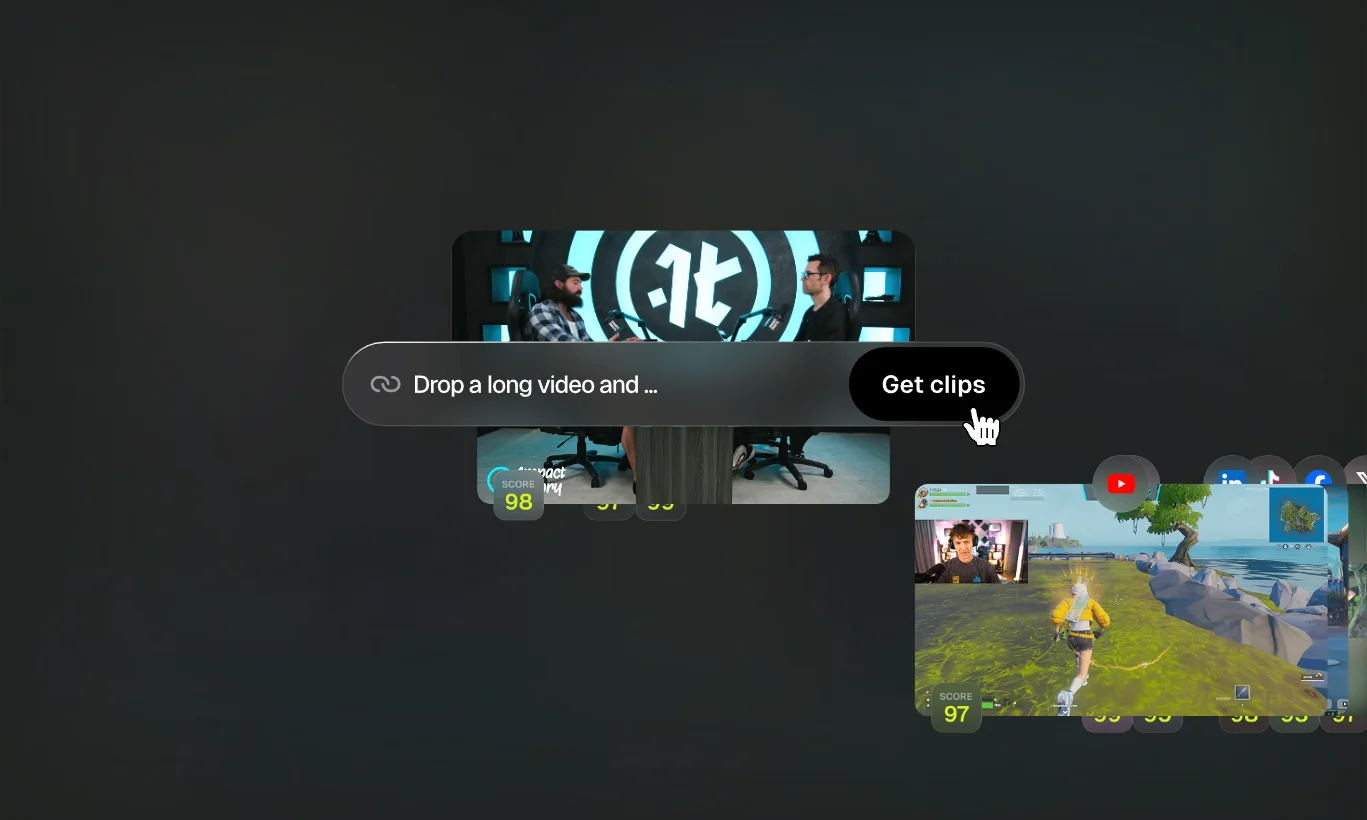
Price: Free plan available. Paid plans start at $15/month.
OpusClip more specifically for AI clip creation. Unlike Riverside, you’ll need to upload your podcast recording.
It also does a good job of reframing a video so that it looks good on different platforms. (For example, transforming a standard YouTube video into vertical clips.)
Best of all, you can schedule the clips to your social platforms right from OpusClip, making the process much faster and easier.
If you’re looking for an AI clip creator, check out some other OpusClip alternatives.
Headliner

Price: Paid plans start at $9.99/month.
This tool is just for podcast promotion, and it has some pretty cool and unique features.
Clip and caption podcast videos to share on social, create audiograms, and post directly from Headliner to your social platforms.
You can even create embeddable widgets for your website. Headliner’s AI will design and create the whole thing for you with just a click.
AI tools for understanding podcast analytics
As a podcaster, knowing what’s working is key to growing an audience over time. But that isn’t always easy. Collecting and analyzing data is time-consuming and can be difficult if you don’t have a background in analytics. Fortunately, there are a few AI tools to help you here too.
Podstatus

Price: Paid plan is $5/month.
Podstatus is an analytics tool that monitors your podcast’s key metrics, reviews, and competitors. With Podstatus, you can watch your podcast’s position over time across various major platforms, and collect and filter reviews across platforms, too.
Podstatus even provides competitor insight. You can see live podcast rankings on major platforms like Spotify and Apple Podcasts, and find out how many podcasts compete with you in each category and country. This can help you understand what’s working in your niche and give you ideas on how to make your content better.
Podder
Price: Paid plans start at $12/month.
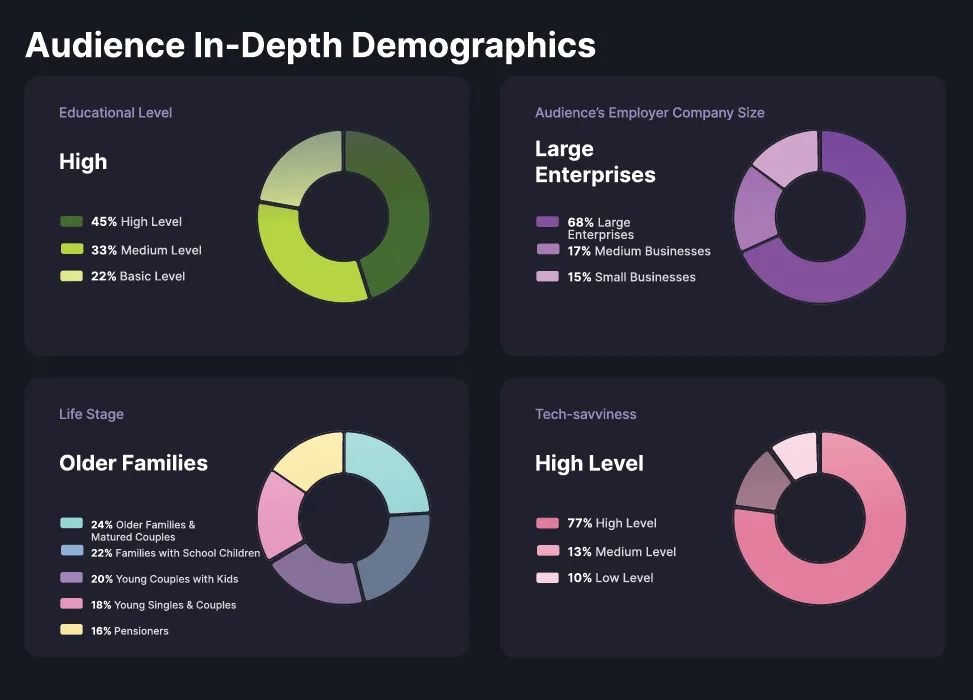
Podder delivers some of the most detailed podcast analytics you can get. You’ll get in-depth listener demographics for your show, including high-value stats like audience buying intent and interests. You can also tap into per-episode podcast performance and weekly growth statistics.
But Podder takes show growth even further by using data algorithms to identify growth opportunities. Every week, you’ll get AI-generated growth recommendations based on the data about your show. This includes personalized advertising tips, social posting frameworks, outreach suggestions, and potential monetization strategies.
Read: Podcast Analytics: Why, How & What To Measure
Pros and cons of using AI for podcasting
There’s still an understandable amount of skepticism and controversy around using AI tools. And while they can be very helpful for creators, there are drawbacks as well. Let’s take a look at the pros and cons of using these tools for podcasting.
Advantages of AI podcasting tools:
- Saves time & speeds up key workflows. Using AI as part of your podcasting workflow cuts down on the time you need to spend on each step. This can leave you with more time for creative work.
- Often cost-effective. AI tools usually offer a big bang for your buck. Some are free, and others are super affordable. Plus, by freeing up your time, they’re giving you the ability to produce more content (or take a much-needed break!).
- Makes podcasting more accessible. AI podcasting tools make podcasting a lot less technical, opening it up to more people, even those without podcasting experience or a technical background.
- Expands your capabilities. AI tools take some of the more technical aspects of podcasting (e.g., scrubbing background noise) and does it for you. This allows even inexperienced podcasters to get professional-quality results.
Disadvantages of AI podcasting tools:
- Loss of ‘human touch’ or authenticity. AI tools can’t always get the tone or feel you’re going for. Sometimes, that requires a human touch.
- Copyright and legal infringement. When using generative AI, you need to be aware of the possibility of inadvertent plagiarism or copyright infringement. This is a matter of fact-checking the AI’s output and cross-referencing the sources it has drawn from.
- Errors and mistakes. AI often gets things wrong or “hallucinates” (makes things up). When you’re using AI to create scripts or whole podcasts, you’ll have to review the output carefully to ensure it’s accurate.
- Limits your growth. If you rely on AI to help you create your podcast, you’re limited by what it can do as well as by what you can’t. Because AI tools do the work for you, they may prevent you from learning as much as a podcaster.
- Platform restrictions. If you use AI to generate a material portion of your podcast’s audio, many podcast platforms require prominent disclosure. Platforms also forbid using AI in ways that mislead listeners (such as using AI to impersonate someone). Platform rules around AI vary, so you’ll have to be aware of what is and isn’t allowed.
FAQs about AI podcast tools
Can ChatGPT generate a podcast?
ChatGPT can assist you in many of the steps involved in making a podcast, but it can’t actually generate a podcast all on its own. Here’s a breakdown of the things ChatGPT can help with:
- Developing a show concept, name, tagline, and episode format.
- Identifying your niche, tone, and audience.
- Creating episode series outlines.
- Researching competitors and identifying content gaps.
- Writing scripts, outlines, and interview questions.
- Reworking blog posts or transcripts into podcast scripts.
- Recommending recording tools.
- Helping with AI prompts for other tools (like Wondercraft).
- Formatting and editing episode transcripts for show notes, captions, or SEO elements.
- Writing social media captions, email teasers, and summaries.
- Converting your podcast into blog posts, newsletters, or carousel scripts.
Can AI write a podcast script?
Absolutely. There are a few AI tools designed to do just that, including Riverside’s AI script generator. None of these tools are perfect. You will likely need to do some editing and refining to get a script you’re really proud of. But, they can help cut down script creation time compared to starting from scratch manually.
What is the best AI editor for podcasts?
It depends on what you’re looking for, but I recommend Riverside as an AI video editor. Among AI-powered tools for podcasting, it provides the best balance between assistance and creative freedom.
Riverside’s AI tools are designed to supercharge the creative process by taking on repetitive and time-consuming tasks, without taking you out of control. You can use Riverside’s Co-Creator to make changes based on your directions, edit the AI-generated transcript to quickly trim your video by deleting text, and take advantage of Magic Audio to polish your sound in an instant.
You can even use AI to create short clips for social media, and generate show notes. The result? A podcast you can feel proud of in half the time.
Can you publish AI-generated podcasts?
Yes, but many platforms require that you disclose the use of AI. Apple Podcasts requires that you disclose the use of AI if you use it to generate a “material portion” of your audio. Spotify allows AI-generated content, but emphasizes that creators should edit and oversee AI-produced content to ensure quality and authenticity. Many podcast directories follow similar approaches. Check the policies of directories where your podcast is listed to ensure that your use of AI complies.



.webp)

.webp)
.webp)


